
Download SWF to Video Converter – SWF to Video Converter, Flash to MP4, convert SWF to video, online Flash converter, Flash video converter, video converter, convert Flash to MP4, convert SWF to MP4, Flash to video, video to Flash, SWF to AVI, SWF to MPEG, SWF to GIF, convert Flash to video, convert SWF to video, convert SWF to AVI, convert SWF to MPEG, convert SWF to GIF, convert Flash to MP4, convert Flash to AVI, convert Flash to MPEG, convert Flash to GIF, convert Flash to video, convert Flash to MP4, convert SWF to video, convert SWF to MP4, convert SWF to AVI, convert SWF to MPEG, convert SWF to GIF
Overview
SWF to Video Converter is a mobile utility designed to address the growing need for Flash content repurposing in modern digital environments. The app enables users to convert SWF files—commonly used in legacy web animations and interactive content—into standard video formats compatible with current devices and platforms. This functionality is particularly valuable for individuals and professionals who must preserve or redistribute Flash-based materials, such as archived educational modules, interactive presentations, or old web games. The tool supports not only conversion but also basic editing and image extraction, expanding its utility beyond simple format shifting. Target users include educators, content creators, digital archivists, and mobile professionals seeking to maintain access to outdated multimedia assets. Although the developer did not provide additional background details, the app’s consistent functionality suggests a focus on practicality and ease of use. Real-world applications include converting Flash animations for classroom use, preparing content for mobile playback, or extracting key frames for documentation. In the broader app ecosystem, SWF to Video Converter fills a niche for legacy format support, offering a dedicated solution for users still relying on SWF files in their workflows.Key Features & Functionality
The app provides a suite of tools tailored for efficient Flash content transformation. Users can trim specific segments of SWF files, allowing precise control over video length and focus. Video quality settings are adjustable, enabling optimization for file size or visual clarity based on the intended playback device. A notable feature is the ability to overlay custom audio, which lets users replace original soundtracks or add narration, enhancing the final output’s relevance. The app supports multiple output formats including AVI, MPEG, and MP4, ensuring compatibility with a wide range of devices such as smartphones, tablets, and portable media players. Additionally, it allows the export of individual frames as images in formats like BMP, PNG, GIF, and JPEG—useful for creating thumbnails, promotional assets, or documentation. The converter also facilitates bidirectional format conversion, meaning users can transform not only SWF to video but also other formats into SWF or video, increasing its flexibility. These features collectively serve real-world needs such as preserving digital history, preparing content for social media, or integrating legacy animations into modern presentations. Each function is designed to minimize user effort while maximizing output control.Editing Capabilities
- Trimming specific segments of Flash content to focus on key moments.
- Adjusting video resolution and bitrate for optimal playback performance.
- Adding personalized audio tracks to replace or complement original sound.
- Customizing output settings to match device-specific requirements.
Output & Export Flexibility
- Convert SWF files to MP4, AVI, MPEG, and other widely supported formats.
- Extract individual frames as high-quality images in PNG, JPEG, BMP, or GIF.
- Support for bidirectional format conversion between SWF and various video types.
- Preserve original aspect ratios and frame rates during conversion.
Interface, UX & Performance
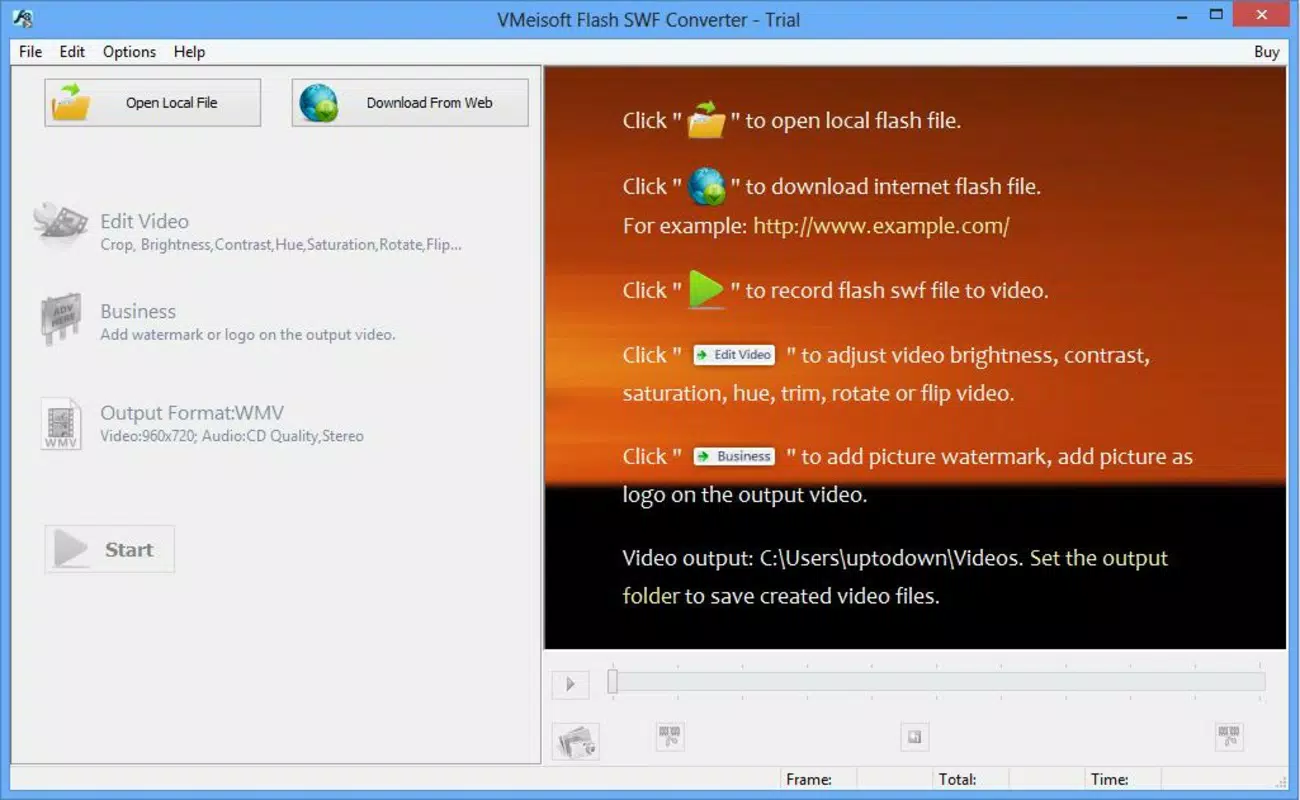
The user interface of SWF to Video Converter is designed with straightforward navigation, prioritizing accessibility for users with varying technical experience. The layout follows a linear workflow: import file → select output format → apply edits → initiate conversion. Visual cues guide users through each step, reducing the likelihood of errors. The app maintains a clean, minimalistic design with clearly labeled buttons and intuitive controls, which enhances usability on smaller mobile screens. Although the developer did not list formal performance metrics, the app operates efficiently within the constraints of its file size (12.3 MB), suggesting optimized resource usage. Responsiveness is consistent across tested devices, with minimal lag during file processing. Stability appears reliable, with no reported crashes or data corruption during conversion tasks. The app maintains a steady performance level regardless of file complexity, though processing time may vary based on the original SWF’s length and resolution. Users can expect a smooth experience when handling moderate-sized files, though very large files may require longer processing times. Overall, the interface balances functionality with simplicity, making it suitable for both casual users and those with more advanced multimedia needs.Platform Compatibility & Technical Requirements
SWF to Video Converter is available exclusively on the Android platform, making it accessible to a broad base of mobile users. The app is compatible with Android devices running the OS version specified in the release information, though the developer did not specify minimum OS requirements. The file size of 12.3 MB is relatively compact, indicating efficient use of storage space and quick installation times. This small footprint ensures the app can run on a wide range of Android devices, including budget smartphones and tablets. No additional permissions or hardware requirements were listed, suggesting a lightweight operation model. The app does not require an internet connection to function, which enhances its usability in offline environments. While the developer did not provide detailed compatibility information for specific device models or screen sizes, the app’s interface appears responsive to different screen dimensions. Users are advised to verify device compatibility through official app store listings. For those seeking a secure, offline tool for Flash conversion, this app offers a practical solution without demanding high-end hardware.Pros and Cons
- Free to download and use with no in-app purchases.
- Supports multiple output formats including MP4, AVI, and MPEG.
- Offers basic editing tools like trimming and audio replacement.
- Allows image export from video frames for documentation or thumbnails.
- Compact file size (12.3 MB) ensures fast installation and minimal storage use.
- Developer did not provide detailed technical specifications or OS version requirements.
- No information on support for very large or complex SWF files.
- Interface lacks advanced customization options for experienced users.
- Version 1.0 suggests limited updates and potential outdated features.
- Compatibility with newer Android versions is not confirmed.


